26 May 2010

A (re-)look at the Samsung SGH-i600

I realise that I am in the fortunate position of owning both an HTC HD2 and a Toshiba TG01, two super specc'd and very speedy Windows Mobile smart phones. More on the Tosh later, as I have now upgraded to 6.5.x and it is working beautifully as my portable media player, synchronizing beautifully with my Windows media centre.

Until last week, the HD2 was my actual phone, but, much as I like it, there are a few things which I would prefer to see in it. The first is a longer battery life - with Exchange and Twitter running you are lucky to get through 12 hours of use before a recharge. The second is that, much as I like Swype, the on-screen software inpout panels (SIPs) are much more effective on a resistive screen, and I prefer a harware keyboard anyway. The third is that the HD2, even though it is all screen, is still pretty massive.

I am also someone who is fortunate enough to have 2 SIM cards: one for voice and texts (with minimal data) and one for data alone. So, what was the best way to optimize my devices? Well, it would make sense for me to put the data SIM into the HD2 because with internet connection sharing and the marvellous WiFi router, it would be the easiest for using that connection. I also like that I can take it with me and have its serve independently as a mobile internet device (do people still use the term "MID"?).

The Tosh is still my home browsing device, so that meant I needed a new phone, preferably one with a hardware keyboard, WiFi, HSDPA and also pretty cheap. That's where the Samsung SGH-i600 came in. I manage to snag one on eBay for just under £40. It came announced as SIM-locked to O2, but O2 doesn't really lock their handsets so both the 3 and the Orange SIMs work in it. After doing the basic tests to make sure everything was operational I flashed it from Windows Mobile 5.0 to Windows Mobile 6.1. This is not a particularly difficult procress but definitely requires Windows XP (not Vista or 7) and involves a particular sequence of ROM flashes to allow the progression to higher versions of the OS. Now it has the lovely sliding panels interface and all.

Key programs I've loaded on board in no particular order:

  • twikini

  • total commander

  • facebook

  • windows live

  • marketplace

  • bing

  • google maps

  • keep recordin'

  • live mesh

  • myphone

  • opera mini 5 beta

  • smart piano

  • tcpmp

  • tempoperfect

  • weather watcher

  • wm wifi router


Overall I am pretty pleased with the result. The phone serves mainly as a social networking hub and with push email, twitter (via twikini) and facebook all of my bases are covered. This being an older phone the internet connection is HSDPA version 1, but it is fast enough even for browsing using Opera mini.

One thing I will say is that the normal battery is definitely not enough. You will need to use the extended battery if you want to use any kind of connectivity. Thankfully the phone came with a jewel box shaped charger so you are never without an extra. One work of caution though, for reasons entirely incomprehensible to me, Samsung have cables which either charge your phone, or synchronize it, but not both. So you cannot charge the phone with the USB cable that comes with the phone and must use the included wall plug. For people like me who use a single wall wart USB adapter then plug the variety of USB cables in to allow charging of all the different electrical gizmos this is singularly annoying!

My other criticism is that the processor isn't all that quick (certainly conmpared to the two snapdragon devices), so if you are contemplating watching videos encoded in the native QVGA resolition, then you will ve disappointed. Instead, I reencode everything using Windows Media Encoder into the Pocket PC 220x176 profile. This keeps a decent framerate and image quality, with a small file size.

Overall, I'm pretty happy with this arrangeent; my conclusion is that nothing can beat a hardware keyboard at the end of the day!

21 April 2010

Hacking the joggler

So the joggler arrived on Monday and it is a pretty cool gadget as I described previously. But in its box fresh state it is fairly limited. For instance, the news source is limited to Sky News. Who decided that? When I booted it up, a firmware update did a bit to correct it my allowing the installation of the official app store and Google calendar rather than the built in O2 one. Intriguingly, my joggler, unlike the publicity materials, only bears O2 branding in the firmware, and nowhere on the hardware at all. This bodes well for future software upgrades!

I wasted no time in applying the telnet hack, which was somewhat delayed only by my inability to find a suitable USB stick, followed by the Pimp My Joggler hack. This installed a load of BBC streaming channels (amongst other programs) which now come to the Joggler via WiFi. All in all, pretty cool. I am now just waiting for the rest of iPlayer and hopefully the other terrestrial channels to show up for a great in kitchen telly! Even if they don't, all is not lost as the good news is that the joggler can already conect to my home server to view TV shows stored on it recorded by my media center.

19 April 2010

That big ass table


It was with some surprise that I wandered into Delft tourist information to find Microsoft Surface in action there. Never touched one of these before, and it was unoccupied. I am convinced this really is the way of the future!

10 April 2010

Joggler, not iPad

Readers of my blog will realize that the iPad is basically the antithesis of everything I believe in when it comes to gadgetry: a shiny, slick, seductive trinket which is also a closed and proprietary appliance. I'm not saying that this is not right for many people, but for me, with my propensity to tinker and tweak, it is unsatisfying. And the suggestion that any company can decide what I run on my own computer once I've bought it is frankly downright insulting. I can't put it better than Cory Doctorow at Boing Boing, or Peter Bright at Ars Technica, but in short, Apple is doing its hardest to lock people into its own way at the expense of open standards. Bad, bad Apple!

This did not, of course, stop me from popping down to the Apple Store by the Licoln Center for a quick fondle, and I must say that it does swoop and swoosh with considerable aplomb, so the device is very appealing from an aesthetic level in terms of both the hardware and software. What really put me off though, in addition to the above, was the zealous fervour of the random member of the public next to me, trying to convince his friend about the wonders of this new device. It was as though he was a paid salesman who was regurgitating that ridiculous video where Jonathan Ives is going on about how "magical" the iPad is. Urk. She, on the other hand, was sensibly asking things like "Where is the keyboard?" and "I have a netbook, why do I need this?" If there is one thing worse than the smugness of Apple, it is the sumugess of its users.

Anyway, exposing myself to new tech makes me itchy to buy something, so I withdrew before I made a regretable mistake, but wasn't quite fast enough. When I got in, I chanced across an advert for the O2 Joggler and how it was going for just £49.99 for a limited time to celebrate the launch of the app store. Now, I remember the Joggler when it first came out: it is a rebranded OpenPeak Open Frame, but O2's customizations and firmware castrated its functionality leaving it as little more than a really expensive photoframe (it originally cost £149.99). Despite this, it really is a great piece of hardware with pretty good specifications including a 7" WVGA capacitive touch screen, WiFi, a built-in speaker and an Atom processor. The hardware alone costs more than £50, so at that price I could't say no.

A bit more reading, however, and I have now discovered that O2 have finally released an SDK and a style guide, which bodes well for new funcitonality. They have already added Google Calendar, Google Maps and YouTube. And there are other hackers out there who have managed to install Ubuntu Netbook Remix, Android and even Maemo Mer onto it. The joggler does not ahve batteries, so it may have been more prudent to have waited for a true Android tablet, but it wouldn't have been this cheap. Will give it a bit of a play and see where it goes. Delivery due any time now!

26 March 2010

Replacing the N800

For a device which, for the better part of 18 months was my main way of accessing and listening or watching podcasts, I blogged very little about the Nokia N800. Sadly, with the arrival of the Toshiba TG01, I decided that it was time for it to find a new home, and it has, courtesy of eBay, flown the coop.

Of course, this means that the TG01 had to be repurposed to this role. But could it live up to the standards of the N800? Well the answer is both a 'yes' and a 'no'. First of all, the TG01 just doesn't have anywhere near the same kinds of speakers of the N800. I don't mind the loss of stereo sound, but I do mind that the Toshiba can't really crank up the volume enough. I don't need it to be too loud, just loud enough to overcome the sound of frying something in the kitchen or splashing about in the tub. The TG01 can't quite achieve this. The other major issue is the lack of a built in stand. I looked on line for a case which has this as part of the design, but they were nowhere to be found. Instead I have taken to using a bit of blutack to stick the stand which came with the TG01, a weird 3-way folding contraption, to the back of the phone. It works but is hardly cosmetic. I guess the best thing is that it works in both landscape and portrait where the N800 could not.

So, what do I use now as my pod catcher? Well, the one I have settled on is BeyondPod, which has two great features. The first is automatic seeking and downloading of podcasts. This means I never have to check manually and all the latest material is there for me to watch when I want. It also has a great automatic delete function, which I have set to remove podcats older than three weeks. This is essential as I have an 8GB card in there which is surprisingly little capacity. I am still sticking to downloading the versions of the podcasts formatted for the PSP as the resolution is fine, but some shows just don't come compressed that way, such as the Engadget Show. There was some trepidation the first time I played this on the TG01 - would the Snapdragon processor hold up? - but it all seems to run fine at the encoded frame rate. Of course the file is totally massive, and, for my purposes, unnecessarily so.

The other amazing program is myPlayer, a great riff on the BBC iPlayer, but which supports most of the U.K.'s on-line TV channels as well as the one from the Beeb. Now, in this case the resolution does matter, as what comes through is blocky and pixelated, and now and then there are limitations to the speed at which it streams. This can lead to the odd glitch in playback.

Finally, the Snapdragon processor really comes into its own when myPlayer is combined with my pair of bluetooth speakers. I have, in the past used an HTC Magician to try to stream audio, and this worked fairly well. The N800 does not have the BT audio profile so could not connect to the external speakers. But the TG01 handles the combined streaming of video into the device via Wifi, decoding and displaying the image on the screen, and transmitting the audio out via bluetooth to the speakers without a hitch. Amazing! To a certain extent it also mitigates the disadvantage of the poor built-in speakers.

11 February 2010

Panucci, gPodder and the N800: portable podcasts

So, quite a while ago I asked who the N800 is for. I think we all realise that the Nokia internet tablets were a bit of an experiment for Nokia, and I would even classify the recently released N900 in that category. Nokia have been tweaking the size, the keyboard, the connectivity, but I can honestly say that each of the devices has its own merits and the more recent iterations are not necessarily 'better'.

There are a couple of features of the N800 which, despite it being two generations old, I think still cannot be matched by current devices. The first is its front facing stereo speakers which are not only loud, they are clear and fairly punchy. They remind me of the transistor radio of old. The second is that built-in kick stand so you can prop the tablet up wherever you like. The combination of these two, and WiFi connectivity, means that the N800 is a near perfect portable podcatcher and playback device, not just for audio but video as well.

The podcast client I use is gPodder which has a number of new features since I started using it, the main one being the automatic checking of your podcast lists. It then informs you that a new podcast is available. For audio podcast playback I strongly recommend Panucci which is actually named after the pizza restaurant owner in Furutama. The main advantage of this is that it can bookmark where you stopped a podcast so if you stop listening to it, you can resume where you left off. For video podcast playback I just use mPlayer mainly for the wide codec support. My top tip for this is that the processor in the N800 cannot really handle WVGA podcasts, so you are better off downloading the option for the PSP (400 x 272) which, on the high pixel density screen of the N800 looks great.

10 February 2010

Pimping your Windows Mobile 6.1

Let's face it, we all like something new and shiny, but very often it isn't the hardware which is stale, it is the software. After all, once you have a high-res colour screen, a keyboard, every connectivity option under the sun including GPS and WiFi running on a decent processor, do you really need anything more? If you are a geek like me, the answer is always 'yes', but at least the hunger (and the expense) can be delayed by tweaking your device. This is especially true if you have a phone by a company which has not been blessed with the benevolent hackitude that is xda-developers, so an automatic Windows Mobile OS upgrade is not always available. In such a situation, what is a geek to do? The good news is that even if you are stuck on Windows Mobile 6.1, there is quite a bit you can do to make it friendlier for your fingers, and add a little visual "wow!" And all for free too! Here's my handy guide to how I've pimped out my i-mate Ultimate 9502.

Update the boring today screen with TouchFlo
Officially, TouchFlo only runs on HTC devices. Indeed, many of TouchFlo's tabs are hooked into HTC-specific programs, registry keys and dlls. Unofficially, however, you can get most of the features up and running without too much bother. In that respect TF2D is easier to get going than TF3D. Pijulius over on xda-developers has worked hard to port the graphics from QVGA (which is the screen resolution it works on natively) so that TouchFlo 2D runs on VGA screens. I have tweaked my own installation a bit by commenting out the tabs which don't work in the home.xml file and also tweaked some of the images so that the clock and buttons more closely resemble the most current iterations of HTC Sense. The main advantage is you get finger friendly buttons and a slick graphical interface which will keep even the most jaded geek happy for a little longer.

Add finger scrolling and finger-friendly menus
Of course, the finger friendliness should not be limited to the homescreen only. Ideally it should extend all the way through the UI. There is no escaping that Windows Mobile was designed for stylus use; I have no complaints about this, but if you really want to use your fingers on those occasions when strecthing to the silo just won't do, then this can also be achieved. In fact, this involves three programs. The first is FTouchFlo by Efrost which gives you a semblance of finger friendly scrolling, so you don't have to use the scroll bars. This is paired with Schaps' FTouchFlo Configuration Tool which lets you even more finely tweak some of the settings. Finally, to replace Windows Mobile 6.1's default tiny menus, you should use Francarl's FingerSuite. Although this looks like HTC's current default menus it in fact predated HTC's implementation. Works just as well!

Intercept the start menu and change the background
One of the new features of Windows Mobile 6.5 is that when you click on the start menu flag you don't get that tiny drop down menu any more. Instead it takes you to that hexagonal grid of all your programs. You can emulate this to a certain degree in Windows Mobile 6.1 by using a program called Start Launcher by Bartwell. What this does is intercept a click on the start button so that it will run any other program. To get it to take you directly to the programs folder, just configure a 'tap' to direct to /windows/folderview.exe. My top tip is to leave 'tap and hold' activating the old menu so you can easily get to settings. While you're there, if you are bored of the horrid white background of the programs folder, then you can change this too. I'm using grey, but really, almost any colour can be used. Just install UI Tweaker. Oh, and you may have noticed how my taskbar and soft keys are flat black? Well, that's because I'm using the HTC Black theme taken from my own HTC Touch Diamond.

Change the keyboard
There is no denying that the built in keyboard for Windows Mobile 6.1 sucks big time if you want to use your fingers. Thankfully you can always install an alternative software input panel (SIP). The ones I like and use are the Finger Touch keyboard by Teksoft and the Swype keyboard. I hesitate to recommend the latter as it seems to have been literally 'swiped' off the Omnia II ROM. In terms of function, however, I have to say that it works perfectly on resistive touchscreens. Both come with a range of alternative keyboards to suit every type of finger (or thumb) and both can be skinned as well, so you can integrate them right into whatever theme you have chosen for your device.


Beautify your SMS
This tweak falls into the not-absolutely-necessary-but-it-looks-pretty category. Since Windows mobile 6.1 we have had threaded SMSes. If you are one of those people who would prefer the display to look more like a series of speech bubbles then Astronaut's work in Skin SMS will be right up your alley. The power of the community means that all sorts of skins are now available, from the more staid versions like those from HTC Messaging and the iPhone to rather more florid user-generated variants. You are sure to find a skin which suits you.

Multiple personalities

Nearly a month ago I asked myself what to do with my old phone now that my new one had arrived. Well, it turns out there are many merits to tinkering with a device which you don't have to rely on as a primary means of communication. I have long extolled the virtues of Windows Mobile as one of those operating systems where you can change anything from the browser to the UI, from the file explorer you use to the icons which represent the applications. What I hadn't expected, however, was the ability to totally change the OS of some of these phones. For that we have to thank the geniuses at HTC for making their phones so damn hackable, and the even greater geniuses at xda-developers for doing the actual hacking, and sharing the fruits of their labour with us mere mortals.

Their latest efforts extend the life of my old HTC Touch Diamond far beyond what I could rightfully expect, because not only have they tweaked Windows, they have enabled the hardware to run not one but two completely different operating systems. For instance, not only can you dual boot into the latest build of Android on the phone, you can also run Blackberry OS via the Blackberry application suite. I can tell you that exploring both these OSes will provide me with many happy hours of tweaking!

27 January 2010

Getting a "sense" of the Toshiba TG01

As you may have gathered, my phone was upgraded, and I am now in posession of a Toshiba TG01. The shocking thing is that this phone is, for whatever reason, not very popular on Orange, and they are in the process of getting rid of them. I was amazed that they gave it to me entirely for free (on a contract, albeit a low one); we are talking about a Windows Mobile 6.5 smart phone with a 4.1" WVGA screen and a Snapdragon processor humming along at 1GHz encased in one of the most gorgeous and thinnest shells I have ever seen. Bargain!

Naturally, hardware alone does not a good phone make, and software also plays a very big role. I did try using Toshiba's own stripe interface which wasn't really as bad as people make out, and Orange's customizations which I think are truly dreadful and ugly, as well as Titanium, the default Zune-like interface of WM6.5, but because I have been using the HTC Diamond for so long, I have gotten used to the default HTC interface. I think the Diamond was the first device to use TouchFlo 3D, and with time this has gradually been upgraded and is now called HTC Sense. In fact, my Diamond currently runs HTC Sense 2.1, so I was seriously missing the interface.

Well, the good news is that this being Windows Mobile, if you don't like the UI you can always change it, and one enterprising soul has created a Sense 2.1 cab installer. This runs very well on the TG01 as you might imagine, and is both fast and responsive. You do get all the amazing 3D weather animations which never cease to wow me. Here is a video I made of it in action.


Sadly there are a few tabs which don't really work fully. The first is the contacts tab which, while you are able to assign favourites, on my device and setup crashes when you click on "All Contacts" on the left soft key. Also, video doesn't appear in the pictures and videos tab, nor does the picture viewer open when you click on a photo. HTC Album (HTC's own photo viewer) doesn't seem to install properly on this device. Obviously, and link to an HTC proprietary program is non-functional either.
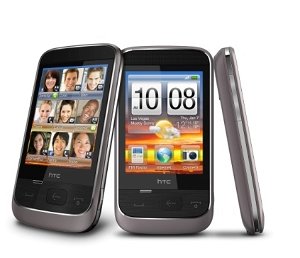
None of these are deal breakers for me, and I have to say it does make the transition from my HTC Diamond to the Toshiba TG01 that much easier. I know that many people are hesitant about using a non HTC phone because they will lose Sense (which explains why HTC is going after the low end with the HTC Smart to get you hooked on the UI). HTC Sense on the Toshiba TG01 serves as a bit of a reassurance to those who are thinking of taking on leap with this great deal of a phone.

15 January 2010

18 months

Wow. I can't believe it has been 18 months since I first received my HTC Touch Diamond. The only reason I know is that upgrade time has swung around again, and I have a new phone. In the last 18 months I have to say that the Diamond has been a real trooper: I have flashed the ROM at least a dozen times, each time falling in love with the interface all over again as something new is discovered.

The last 18 months have seen the unofficial releases of Windows Mobile 6.5, 6.5.1 and 6.5.3, all of which have run on my phone, as well as TouchFlo3D in its various incarnations right up to HTC Sense. Not all the new ROMs were that stable and some were downright buggy, but it was a risk I was willing to take. At the end of the day, the most stable ROM was one still based on 6.1: Gen.Y's really quite wonderful D2 R5 ROM which uses HTC Sense 2.1, and that is the one I've stuck with for the last few months.

So, now that the new phone has arrived, it begs the quesiton, what should I do with my trusty Diamond? I still love the phone because it is so small. Over time, however, the WiFi has ceased to work, which has proven to be quite a big problem as without the SIM it now has no independent connectivity apart from Bluetooth and GPS. Of course when synchronized it can use the PC's pass-through connection, but that is quite limiting. At the moment I have it set up as a 4GB mp3 player, but I am thinking of doing something a little more adventurous with it. Any suggestions?

04 March 2009

Non-mouse mice

Okay, so you have a keyboard and you have a mouse, but neither really seem to be the tools you need for what you do. There are too many clicks, you are moving your pointer too far across the screen. I know how you feel. Actually, until a short time ago I just thought it was something to grin and bear. That is, until I installed my Griffin Powermate.

When I was a kid using an Apple ][ all we had to play with was the keyboard for "real" stuff, and the joystick for games. Graduating to the PC, the keyboard-mouse combo took over and it has pretty much been the way things have been for the last two decades. Then a couple o fyears ago I was given a Powermate for Christmas. It was treated as one of those Christmas presents which you think, oh lovely, I always wanted one, but which actually ends up in the shoebox at the back of the cupboard.

Anyway, I was clearing my stuff out when I chanced upon it and thought, well, now is the time to test it out. The Powermate is a beautiful device: it feels heavy and has a blue LED which pulses organically when it is on. The question is, what does it do? Well, it is a programmable dial and button. So you can program it to do one thing when you press it, another when you dial it in either direction, and another when you do a combination of the two - not actually as easy as it sounds. The function also changes depending on what program you have in focus.

It all sounds like it will liberate you completely, but to be honest it hasn't done all that much for me. I use it extensively in Firefox with the dial to scroll up and down a web page, perfect for Google Reader, and the press dial is good for switching tabs. That, essentially, is that. Your mileage may vary.

I was looking at the Powermate though, and thinking it would have so much more functionality of you could squeeze it or use it as a joystick, which is when I had a look at loads of other gadgets which are not mice, but function as accessory input devices. Never even seen any of these in the flesh let along had a chance to play with them, but they may be something to keep an eye on for the future.


18 December 2008

Who is the Nokia N800 for?

I bought a Nokia N800. This being Spurious Starlight, we never acquire the latest tech, and the N800 originally came out at the start of 2007. So now the N800 is just shy of 2 years old, and can be had for just shy of £100 eBay. If you've not heard of the Nokia N800 I don't blame you. Nokia is one of those companies who, although they make more than one produce more than one item, are really only well known for their mobile phones. The N800, however, has no cellular radio within it, but in terms of hardware is actually very similar to a phone both in terms of size and components. Instead, Nokia calls it an 'internet tablet' (NIT). Two years ago when the N800 was released, one of the overriding questions was: who is it for? Two years later is the answer any clearer?

Going by my past posts, you will gather that what I do on the internet revolves around browsing news, staying in touch with friends and family through Facebook and IM, checking email, listening to podcasts (both audio and video) and listening to internet radio. I would say that those few actions account for 90% of what I do on the net - consumption of media rather than creation. What I've discovered the N800 is, is a device which allows me to do all of that in a pocketable form factor.

Surfing the internet is possible on my phone, and using an HTC Touch Diamond with Opera 9.5 really isn't a bad experience, but with such a tiny screen, even with a high pixel density, you can't avoid a degree of claustrophobia. In contrast, the N800 has a huge screen both in terms of size and resolution. It is WVGA 800x480 which means that you can see most webpages without scrolling side to side, and because it uses a Mozilla-based browser, the rendering is near-identical to what you would see on a desktop. It handles javascript and flash which is really impressive too. Pages render relatively quickly via WiFi, but I will say that certain pages do cause it to choke, especially the 'infinite' pages like Google Reader.

Facebook is a bit of a weird one on the N800. If you just enter the facebook URL you get some kind of weird message. Facebook clearly has never heard of the N800 and assumes that it is a mobile web browser, and tries to divert you to a WAP page. If you put the http://www.facebook.com/login.php specific URL in, however, you can go to the desktop version which is what the N800 excels at. Once you are there you get the full fat version of Facebook with every function known - so much better than the mobile or iphone variants of the site.

Communication via Skype works really well, and you can even use the video camera which pops out of the side of the device. You can also instant message using Gizmo which connects to the Windows Live Messenger service. I don't use the other IM services which are supported so I wouldn't know how they work. My onluy concern is that the built-in keyboards are pretty unfinger friendly. Even the big QWERTY keyboard, which is far better than most on-sceen keyboards I have ever used, takes a bit of getting used to. As a result, typing is just a little bit slower and more frustrating. This goes for emailing too. The email clinet is very easy to set up and inludes imap for GMail which is basically what I live on. Multiple accounts are also posisble, and the client polls the servers regularly, witht he D-pad glowing blue when a new mail comes in.

I am not going to discuss media consumption at the moment because I am still exploring the device, But sufficeth to say the built in media player is adequate, but the downloadable player Canola, is amazing!

10 December 2008

Fennec browser and Origami Experience running on Windows Mobile!

I apologise for the somewhat misleading title of this post, because, sadly, it is not true in the strictest sense of the word. However, at the same time it is not entirely false either. I get bored very easily by my devices, and rather than buy a whole new one every time I want a bit of eye candy, I try to explore different ways of trying out another user interface. UIs involving touch are the subject du jour, but neither are particularly new.

For instance, in Microsoft's initial, but now sadly dead, vision of the UMPC there was a UI designed to be finger friendly on relatively small screens. It was called Origami Experience. Sadly, Microsoft in their infinite wisdom decided that it could not be downloaded as a separate overlay of Windows XP. No, they wanted it to be exclusive to the new generation of UMPCs. Thankfully, an enterprising young woman called Neotechni decided to take matters into her own hands and came up with a clone called Mobile Home. She details it in the Origami Project forum.

I downloaded it, and it is indeed feature complete and runs beautifully, but having installed it, I can't make full use of the functionality as I do not have a touch screen desktop. That is where the magic of remote desktop on my HTC Universal comes in. By firing up a remote session, I can use the touch screen on my PDA to really try out the UI. So far I love it! It sure beats the traditional start button-cascading menu-task bar paradigm on such a small device.

Using the same technique I can actually get Fennec, Mozilla's new mobile browser, to run on my HTC Universal too. Fennec builds run on XP but not Windows Mobile at the moment, but by "putting it onto" my phone via RDP I can try it out is it is meant to be. I have to say that being an alpha build most of the functionality is sadly limited, but I do like the screen sliding paradigm of browing and tabs.

I have also used my old tablet Windows 98 Fujitsu LT in this way to try out both Mobile Home and Fennec, and have to say that there is a great novelty value in seeing an entirely different user interface on this prehistoric device.

One more top tip, if you are using Firefox, even remotely, on a touch screen device, then I strongly recommend the Grab and Drag add-on. It makes surfing the web that much easier.

Edit: I added a video of RDP in action on the HTC Universal showing Mobile Home, Firefox and Fennec.

09 December 2008

A review of the Creative Inspire T10i speakers

Quite a while ago I reappropriated my old HTC Magician as an internet radio. The set up was a bit convoluted, but worked quite well. in the interim, however, the phone was requisitioned by my parents and I went back to listening to my internet radio on the PC. I still think this is a bit of an overkill, and there is something vaguely annoying about having to boot up my desktop to listen to a bit of streaming Christmas music. Time to come up with another solution!

While I no longer have the phone, I still do have the SanDisk WiFi SD card and indeed the bluetooth speakers. The bluetooth connection was a bit wasted though, since the only PDA I have lying around at the moment is my old hp iPAQ h2210. This has bluetooth but does not support A2DP. In truth, the Acoutic Energies don't have the best sound anyway, with rather muddy basses and wooly highs. So I figured it was time to look for a new pair of speakers.

In the end I settled on a pair of Creative Inspire T10i speakers. I have had a really good experience with Creative's before and I know that in their price range their speakers really are unparalleled. I originally wanted to get one of the fancy X-Fi speakers since the music playing out of my PDA will have been digitally compressed. Most internet radio streams run at a feeble 96kbps I believe, and it would have been great to have some of that fleshed out using the X-Fi crystallizer system. I'm not going to argue the case for X-Fi, but suffice to say that response to it is a bit subjective - I love it for digital music.

Unfortunately, X-Fi systems come at a price premium and I didn't want to spend more than fifty quid on it. I found one review of the T10is on line and it was really positive, so I figured I would give them a shot. Even so, I was heading rather blindly into the purchase. I ended up spending just under £30 for the speakers on eBay and have to say that for the price the sound really is stunningly good.

The speakers themselves aren't particularly huge but they have a tweeter and a mid-sized cone, as well as a bass port exiting at the top. The right speaker has the volume and tone control knobs, and at the back a power and audio in port. This being the T10 'i' variant, it also came with a dock for an iPhone or iPod Touch - clearly this is something I do not need. As I mentioned, I am streaming internet radio through it at the moment, and the basses are rich and punchy with clean, crisp highs and rounded mids. The sound is really beyond what one would expect for speakers in this price range. Strongly recommended and well worth it: if only because I can now listen to O Come All ye Faithful without first hearing the Windows startup sound!

07 December 2008

Odd phone designs #1

The brand 'not specified' in the mobile phones section in eBay is a veritable Burgess shale of hardware designs which may or may not evolve to the big time. I get a weird thrill from having a look to see what the Chinese designers consider a viable look, and while some of them are truly wacky, there are many which are quite clever. Now and then though, the odd phone really catches my eye, and I just had to post this one: a weird amalgamation of the Nokia 8800 Arte and the LG KT610.

In principle, QWERTY phones need to be long to accomodate the keyboard, so it baffles me just a little that whoever drew up the blueprints decided that this phone also needed a hideaway number pad. Mind you I guess it does make for a sleeker look. The added bonus? Gaming keys because this phone also has a SNES emulator built in!

06 December 2008

A review of the Krussell touch screen pointer

This is a bit of an odd review because I'm discussing an accessory, not some piece of techie kit. But with my new WWAN modem I received a £10 voucher from the 3 accessories store. I had a quick look around, and frankly, a tenner really doesn't go very far, and how many phone socks does one person really need? On the other hand I am indeed a lanyard person. As someone who is clumsy at the best of times, it has stopped my expensive toys from falling onto the floor and smashing into a million pieces on many an occasion. When grabbing the phone from my pocket I also find it gives something handy to grasp onto. I hasten to add that I am not one of those people who like to add dangly bits of jewellery to their phones. I am strictly Corbusier-ian in that sense in that I belive that from is function.

Anyway, to cut a long and not very interesting story short, I decided to go with two Krussell touch screen pointers. The original designers are a company called Triforce based in Sweden, and I remember reading about them quite some time ago. The "triforce" allusion is not to Zelda but to a trangular piece of plastic which is looped through the nylon strap. It is this which you are supposed to pick up and use in lieu of a stylus.

Does it work? Well, yes, and very well indeed. The stylus is durable and sturdy, and the strap itself feels very durable. Do I actually use it? Sadly, given that I have a Touch Diamond which has TouchFlo 3D, an interface designed for the use of fingers, I would have to say no, not very much. If you are the kind of person who prefers to use the stylus, and are constantly losing it, then this would definitely appeal to you. Otherwise my muscle memory makes me reach of the stylus on those rare occasions that I actually need to use one.

30 November 2008

A review of the Huawei E160G 3G modem on 3

Work has been exceptionally dictatorial about its internet usage of late, and with the pre-existing ban on the use of Facebook and eBay at work newly supplemented with a log of all the websites one visits, it was enough to tip me over into getting my own mobile broadband access. As you may know from my previous post, I have an MSI Wind which I have been using as my primary on-the-go computing device for a while now. Ironically, however, while it is a netbook, when I take it out of the house I rarely used it to surf the net, mainly because it is quite difficult nowadays to find an open WiFi access point. My new 3G modem has definitely changed all that.

I did a quick search on the net and knew that I could get a fairly good deal from 3. At their web shop they are offering 3GB downloads for £15 a month. With a bit of digging though, I signed up for a contract giving me 5GB of downloads a month for £7.50. It is over 18 months though, so I hope it works out! The bonus of a £10 accessories voucher was also appreciated!

I received my dongle on Wednesday. It is a Huawei E160G in black, and rather sleek it is too. I used to carry a USB thumbdrive on my keychain, and this resembles it closely, although it is thicker, longer and wider. I did try to attach it to my keychain but as it kept stabbing me whenever I sat down, I abandoned that idea pretty quickly. The other main complaint is that if it is shaped like something you could put on a keychain, why does it not have a keychain loop? Instead it has one of those tiny little holes which it is even difficult to fit a regular mobile phone lanyard through. Rather bad design on Huawei's part I must say.

Apart from the size and the lack of a decent method of attachment, the modem itself is quite attractive. It has a rubberized outer coating with a 3 logo printed in white at one end. Just behind the logo and underneath a thinner piece of plastic is the status LED which glows through the enclosure. Pretty cool. The dongle itself is three-quarters encircled by a chrome edge in which there are two flaps: one is for an external antenna, while the other accepts a microSD card. I was quite surprised at this as I already carry an 8GB thumbdrive and the fact that this can take on that role is a bit of a bonus. Indeed I put my 8GB microSDHC into the slot and it is definitely SDHC compatible.

At the top, under the cap is the USB port and a small tray for the SIM card. The dongle is pretty chunky, and it comes supplied with a USB extension cord so that, if your USB ports are closely spaced, you don't end up blocking two of them. On my MSI Wind I end up plugging the dongle straight into the port on the right, with the left ports being used for my RF portable mouse and the USB thumbdrive. It works out quite well.

Another interesting feature of the dongle is that when you insert it into a PC it mounts as a CD ROM drive and proceeds to install the software. The process is fairly straightforward as it is done through a wizard, but it was slightly annoying that the moment it was loaded, the program told me that an update was available, and it went on line, to get it. This prompted a total uninstall of the original software and a reinstall. Honestly, you'd think it would be trivial to update the modem with the latest software. The microSD reader component mounts as a separate USB drive.

Once everything is up and running, which does take a while, you are confronted with a big orange button you click on to connect. At home I found that I had a 6/10 bar HSDPA connection with a theoretical maximum of 3.6MBps download speed. The modem itself does not support the higher speed HSPA network. In reality, however, and I know that this is contingent on place and time, I was getting measly download speed of only 160kbps, and uploads of 52kbps! Obviously this is sorely disappointing, because it does preclude some of the things you take for granted on the internet like streaming video. That means no YouTube and no iPlayer. I've not read the fine print about whether or not this is permissible anyway under the terms and conditions, but it is clearly not physically possible. Instant messaging is fine and VoIP struggles but does work. No video conferencing though.

So, how do I feel so far? Well, I love the freedom that a wireless modem affords, and I like that 5GB really is more than I need so I don't really have to think about it. It has certainly changed my mobile computing patterns, and I find I am answering more emails, and updating my Facebook profile with greater frequency. My only wish is that I bought a netbook with a modem built into it. While not terribly inconvenient, the dongle does take up one precious USB port and it sticks out a mile! And I live in fear that it will get nicked if I leave it plugged in when I am away from the desk. Overall I am happy with it. Let's see how it develops.

25 July 2008

A quick review of the MSI Wind


The demands I place on my portable devices aren't great. I generally use them for the odd bit of word processing or spreadsheet data entry, and if I am particularly adventurous, might also read emails or surf a bit of the web. That is why until now I have been quite content with my combination of an old handheld PC and an old XP notebook. Then the MSI Wind came along, and it met my needs for a lightweight, relatively powerful and suitably cheap computer, and I rushed out (or actually, logged on) and bought it.

As a portable device the Wind in its Advent 4211 incarnation is a small and light notebook. It feels about the same weight as my MobilePro 900C, and much lighter than my Fujitsu Lifebook P2120. As it happens, the Wind is significantly thinner than the Lifebook (it lacks an optical drive after all) but still deeper than the MobilePro, so the latter still wins on size. However, I never really understood the point of laptops smaller than this because, to me at least, the reduction in usability is not made up for by the gain in portability. After all, unless the computer is the size of a mobile phone you still have to carry a bag to put it into.

The most major advantage of the MobilePro is that it boots instantaneously; it is, after all, running an embedded operating system. In contrast, the Lifebook with its 800MHz Transmeta Crusoe processor used to take nearly five or six minutes to boot up into XP! So my usage patterns of the two devices varied. When I am out and about, but with access to a regular desktop I'd carry the H/PC, but when I was travelling it was the notebook which would go with me.

To be honest, I hardly ever do a cold reboot on my XP systems anyway, preferring to hibernate over shutting down. The Lifebook could just about do it, but a wake up would still take a couple of minutes, so it was still frustrating and nowhere near as convenient as the H/PC. Thankfully, the Wind is running Intel's new Atom processor and has a healthy 1GB of RAM. That means that it does boot up quickly, and it takes a very tolerable 15 seconds to go from hibernate to a useable desktop. The processor and RAM combination means that once you are booted up, there is just so much more you can do.

I like to configure my desktops (one I use for sound/ video editing and website management, and one which I use as an HTPC) with Rocket Dock, Yahoo! Widgets and a Vista-esque skin with transparency, animation and drop shadows. Until now I could never ever dream of doing that with the Lifebook without it being crushed. In contrast, the Wind desktop looks and behaves exactly like my desktop. In itself, this is just eye candy, but it reflects how well the system is able to cope with multitasking and processor intensive activities. Until now, for instance, I would never have been able to reencode a video using Super which simultaneously watching a show on BBC iPlayer on my laptop, but this is handled with aplomb on the Wind.


The main purpose of the MSI Wind is as an internet connected device, and this it handles very well. For one thing, the all-important wireless connections of Bluetooth and WiFi are built-in which means none of the nasty PCMCIA cards/ USB dongles of my former two devices . I’m using Firefox 3, and it handles the Silverlight-based ITV catch up website with no problems at all. Flash videos play as well on the netbook as well as on my HTPC. Better yet, the built-in webcam means that I can Skype/Windows Live Messenger my parents and friends on the other side of the globe wherever I am. This is not, I hasten to add, always a good thing. None of these are things which I could ever do on my MobilePro, and only with great difficulty on my Lifebook. It does not have any GSM/3G technology built-in, but internet connection sharing using my phone is not a problem. This means access to the web is feasible even when I am away from WiFi.

I realize that I am making the MSI Wind sound totally wonderful, and there is no doubt that it has almost supplanted the MobilePro 900c and the Lifebook P2120 as my portable device of choice, but it is not all a bed of roses. My first and most major complaint is the battery life. Now I admit that all those wireless radios do suck up the juice, but I would expect more than 2 hours on a screen at half brightness with wireless off. With wireless on I am barely eking out 90 minutes of uptime. On my Lifebook I was probably doing no better, and in fact the productive time was probably less as I waited for the processor to grind through things, but with the 900c I was easily getting four hours and more on a full charge.

Secondly, unlike the Lifebook, there are no hardware quick launch buttons. I have taken for granted the ability to launch Firefox with a single button press, and while launching a program from the dock is not a huge hassle, it is less convenient.

Thirdly, the MSI Wind has a track pad. I am well aware that users fall into two different groups as far as track pads and pointer nipples go, but I am very much a fan of the nipple (oh ho ho!) as it is implemented on the Lifebook. The Lifebook also has the all important third mouse button which enables opening of links in new tab in the web browser. I’ve still not figured how to do this in a convenient way on the Wind. The 900c is even better in that it has a touch screen and, apart from price, it baffles me as to why this was not incorporated into the Wind.

Fourthly, the built-in speakers are very feeble. I can understand that they decided not to put it under the palm rests. This is an annoyance for me on the Lifebook in that you are always covering the speakers with your hands while typing. But the fact that they are on top means that the sound passes through unobstructed and the Lifebook actually doubles up as a pretty good DVD player. There is no optical drive in the MSI Wind, but to be honest, I rarely used it in the Lifebook, and if I really need it I can use a virtual one with Virtual Daemon Manager, or if pushed, use an actual USB external drive.

Many reviews I have read on-line go on about how wonderful and spacious the keyboard is on the Wind; it certainly is when compared with the EeePC, its closest competitor, but is about the same size as the keyboard on the Lifebook and the 900c. But size really isn’t everything, and the keyboard on the wind has a very solid feel to it, with very good key travel. I can type without problems on it, and it beats the fragile feel of the Lifebook keyboard hands down. With the Lifebook it feels like you could mistype, jab your fingers under a key and pop it off all too easily.

So, all in all, I think I am really enjoying my new gadget. It has finally supplanted my duo of a Handheld PC and a subnotebook, in a convenient, attractive and inexpensive package. I’m very pleased with it!

23 July 2008

A review of the HTC Touch Diamond

It has now been a week since I upgraded my phone to an HTC Touch Diamond. I’m on Orange and have been using its spiritual predecessor, the SPV M700 (HTC Trinity) for quite a while now, so this review is more to do with how the transition went. I’m very sceptical of upgrades because I realise that technology doesn't move all that quickly, and a new case does not a worthwhile upgrade make. Moreover, most of the time I suspect that the mobile phone operators are out to fleece you. This time was different though, because the iPhone 3G has just been released on O2, and it is a powerful bargaining chip with Orange.

Anyway, after speaking to customer retentions I negotiated an 18-month contract which includes 600 minutes of mobile/land line calls, unlimited text messages and 250MB of data, all for £30 a month. Crucially, it also gives me the unlimited home broadband deal (8Mbps ADSL and an Orangebox) for just £5 a month – a great overall saving which, to be truthful, keeps me loyal to them. I also got the HTC Touch Diamond (or as they call it, the ‘HTC Diamond’) for free. This compares well with other flagship phones which I would have had to pay for otherwise.

So what do I think of it after a week of use? Well, from the outside I must say that it is one of the most beautiful phones I have ever had. I really like the angular shape, the flush screen and the faceted back. It certainly compares favourably with my old HTC Trinity – with the leather case on the Diamond is actually still smaller than the Trinity! In fact it is significantly smaller than the iPhone and the N95 8GB, the much touted competitors of this phone. I can slip it into a pair of tight jeans without gouging myself in the groin.

Such minimalism does come with a few caveats though: the first is that there are much fewer hardware buttons on this phone. Although the traditional windows and OK button are missing, they have been replaced by the home and back keys. Significantly absent, however, are the voice command, recorder and camera buttons. The Trinity also had a fantastic scroll wheel and an extra OK button. I never normally use these buttons as they are designed but reassign them to launch specific programs. For instance, in my Trinity the camera button would launch the communications manager - really helpful for turning WiFi on and off.

There are no such hardware shortcuts in the Diamond, and all of these functions have to be launched instead through the touch screen interface. Although the touch wheel on the front of the device is capable of scrolling in certain programs, it is admittedly not as easy to use as the true wheel on the Trinity. Thankfully, the interface is a wonder to behold – TouchFlo 3D is easily the prettiest interface I have ever seen on any of my phones and combined with a VGA resolution (640x480) everything is in sharp technicolour. I was running Windows Mobile 6.1 with loads of interface tweaks on the Trinity, including the old TouchFlo as seen on the HTC Touch, and while it was a breakthrough at the time, this is so much better and it certainly has that wow factor, even after seven days of use. I get bored of interfaces after about a week, so it is doing well!

I notice that people have complained that the screen is unresponsive or sluggish, but I certainly have not found that to be the case at all. However, I must preface that with the confession that I am also one of those people who loves hacking the phone, and even before properly using my Diamond I had already downloaded and installed the tweaks available from xda-developers. This is not to be underestimated as a resource for optimizing and expanding your phone. The two key programs I installed are the TouchFlo 3D configurator and GSen, a program which enables the use of the accelerometer to rotate the screen.

Interestingly, Orange have decided to eschew any form of customization on the Diamond, and the only sign that it came from Orange is the very discreet logo on the battery case. In fact the Diamond thankfully includes a stock version of Windows Live Messenger, without the Orange (pay-for) customizations. Apart from the built-in apps I loaded on my usual set of must-have programs - Mobipocket, Vito Sound Explorer, TomTom 6, JB Piano, and 1-Calc Lite - as well as a half dozen or so games. I’ve also put Core Player on there for .avi video playback. I've also paired it with my ThinkOutside bluetooth keyboard. Everything works as it did on my Trinity, but seems speedier overall in terms of load times, and TomTom even gets a faster fix on the satellites from a cold boot (20s or so versus nearly 2 minutes on my Trinity).

I have also now set up my Google and Yahoo! email accounts so the phone pulls emails off the servers throughout the day. With web-browsing, RSS feed and weather updates as well, it is just as well that I a lot of data is included in my package! One thing I will add though, is that I have turned off 3G most of the time as it is a real battery sapper, the second major caveat of having such a small size and therefore a small battery. With 2G most of the time, apart from 3G for the odd bit of browsing, I am averaging 16-18 hours of battery life each day. Not great, but also not bad for such a tiny device.

In the end I am surprisingly happy with the HTC Touch Diamond. Many reviewers compare it with the iPhone 3G and the N95 8GB, but both of the latter two devices are more expensive and far larger than the Touch Diamond. In the end, in terms of actual useability, portability, functionality and value for money, I do think the HTC Touch Diamond is a winner!

15 November 2007

Oops...

I just killed the Nokia 6260. managed to cut through the ribbon connector between the motherboard and the screen while changing the housing.

Dammit!